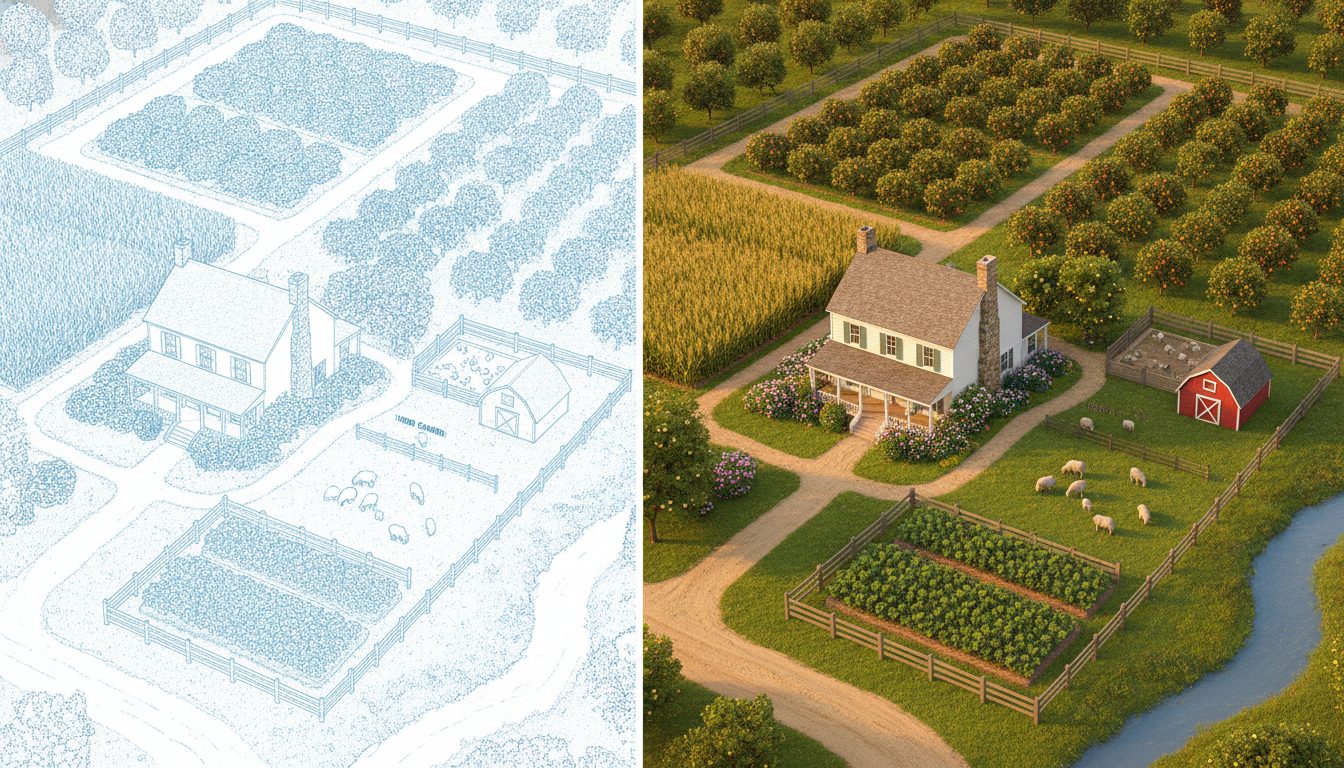
Free Farm Layout Designer - Design Your Farm in Minutes
Drag, drop, and design your ideal farm layout in minutes - no CAD skills required. Fincabout gives you a visual tile editor built for real farmers.
Free forever plan · No credit card required
Product tour
From a folder of ideas to a photorealistic farm
Four steps, one tool, no CAD skills. This is a real 4-acre finca - 1,862 tiles - moving through Fincabout from first inspiration to final render.
Start with a mood board
Before a single tile goes down, gather the look and feel you are after - reference photos, supplier links, materials, and a colour palette all in one place.
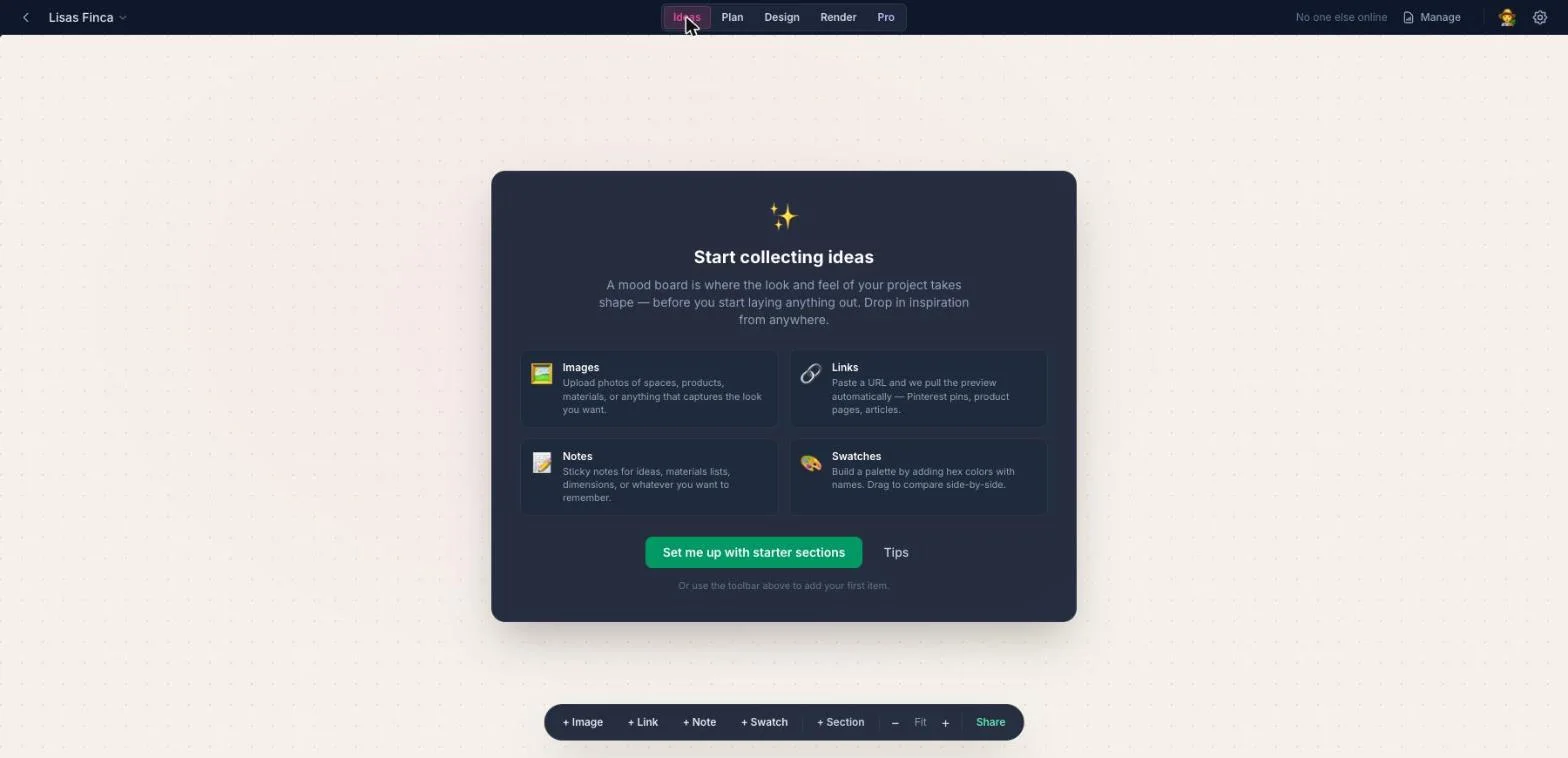
- 1ImagesUpload photos of spaces, products, or materials that capture the look you want.
- 2LinksPaste any URL and Fincabout pulls the preview automatically - Pinterest pins, product pages, articles.
- 3NotesSticky notes for materials lists, dimensions, or anything you need to remember later.
- 4SwatchesBuild a colour palette from hex values and drag them to compare side by side.
Draw your farm on a real-world grid
Place crops, structures, water, and livestock on a grid pinned to your actual property boundary. Every tile is a real measurement, so the areas add up.
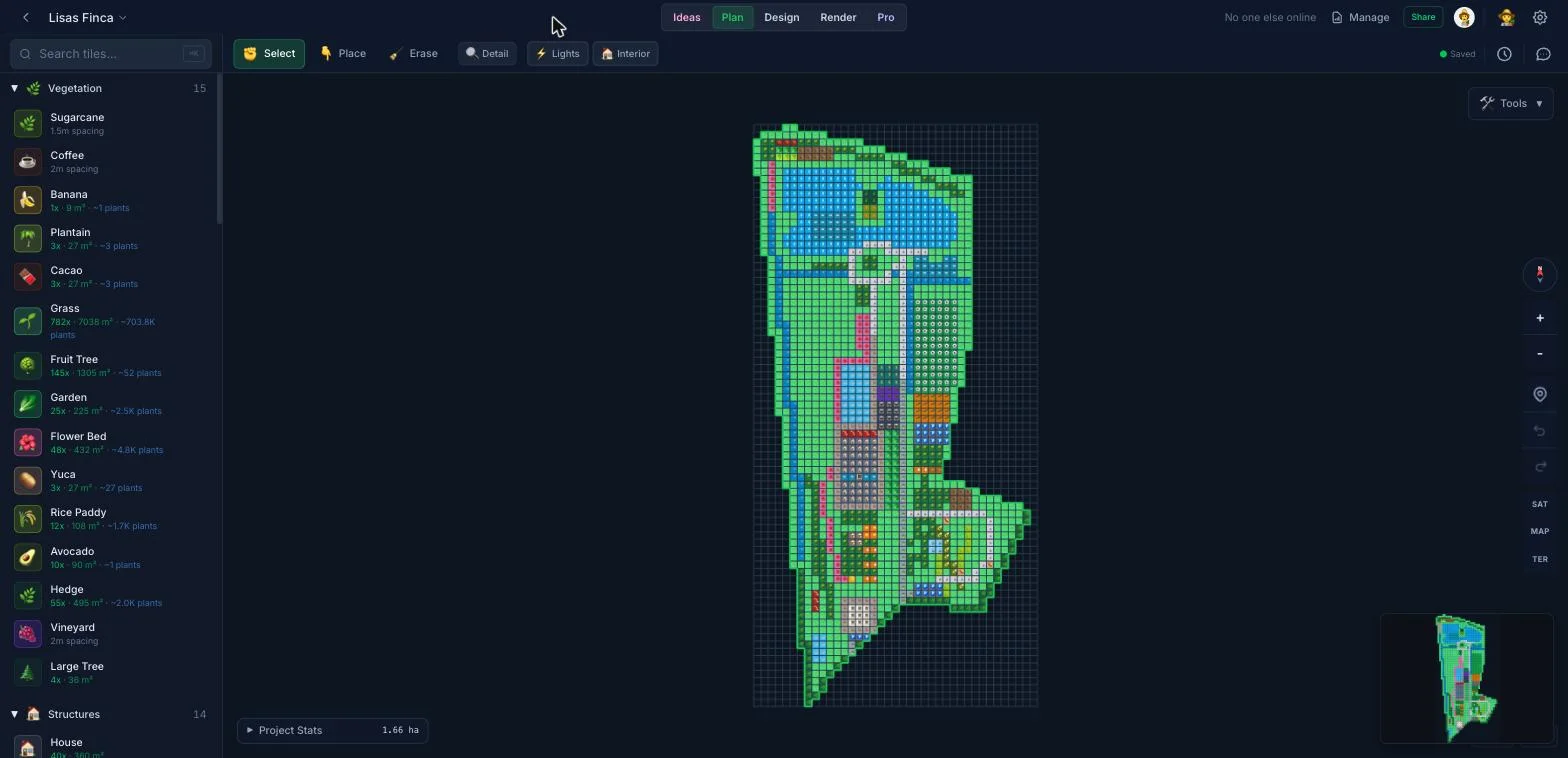
- 1310+ farm tilesCrops, structures, water, hardscape, and livestock - searchable, and grouped by category.
- 2Select, place, erasePaint tiles on like a brush, or drag a region to fill it in one pass.
- 3Your real propertyThe grid is locked to the boundary you traced on satellite imagery - here 80x39 tiles at 3m each.
- 4Live area statsCoverage and area per category recalculate as you place, so you always know what fits.
Your layout becomes a 3D model instantly
Switch to Design and the same tiles you just placed are standing up in three dimensions - no export, no separate tool, no waiting.
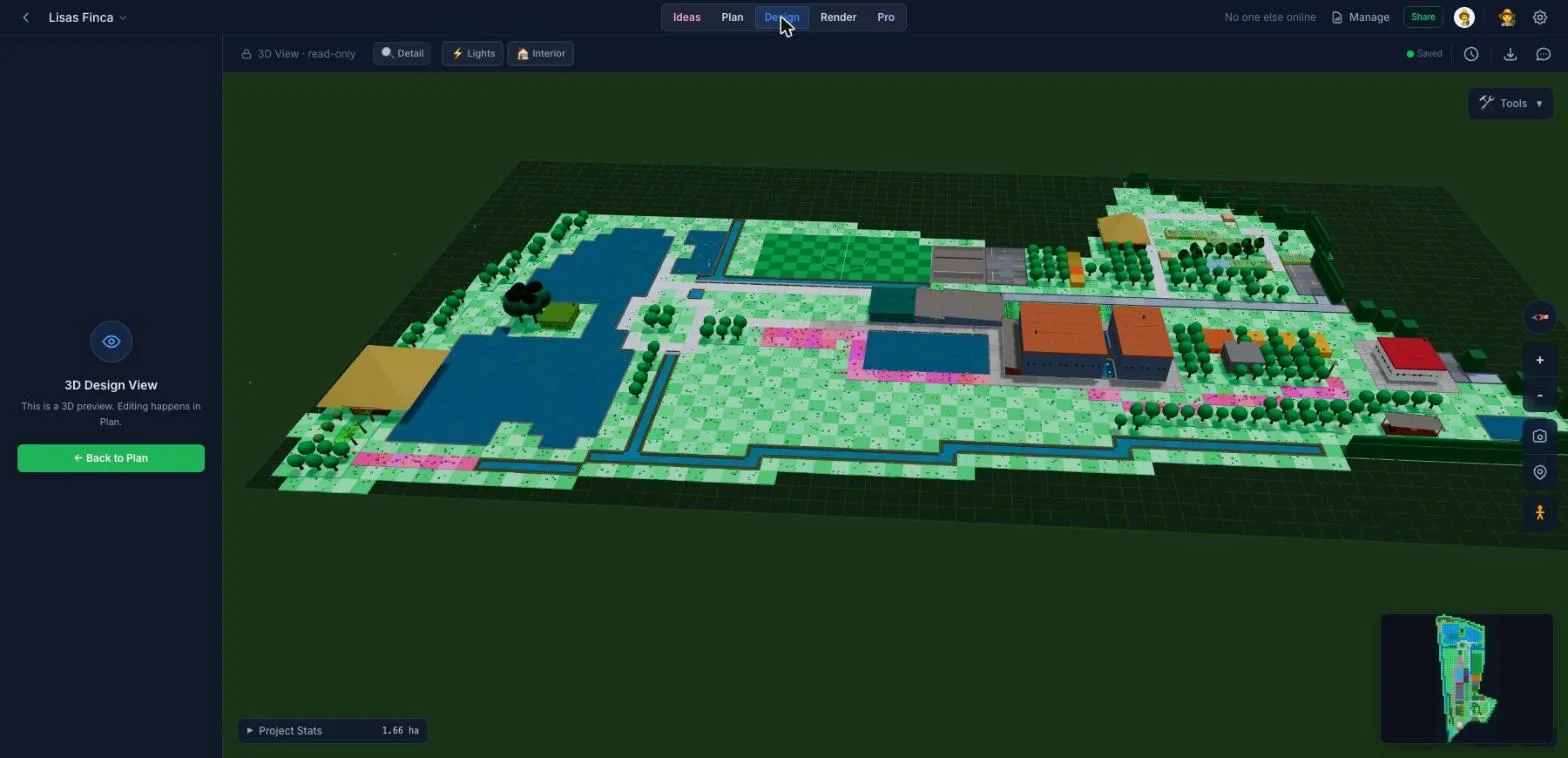
- 1Built from your tilesEvery building, tree, and pond is the tile you placed in Plan - nothing to rebuild.
- 2Lights and interiorsToggle lighting and interior detail to check how the site reads at different times of day.
- 3Walk it at eye levelDrop into first-person and walk the paths to sanity-check distances and sight lines.
- 4MinimapKeeps you oriented on larger properties while you move the camera around.
Turn the plan into a photorealistic image
Generate an aerial or satellite-style render of your actual layout - the image you take to a lender, a landowner, a grant application, or the family dinner table.
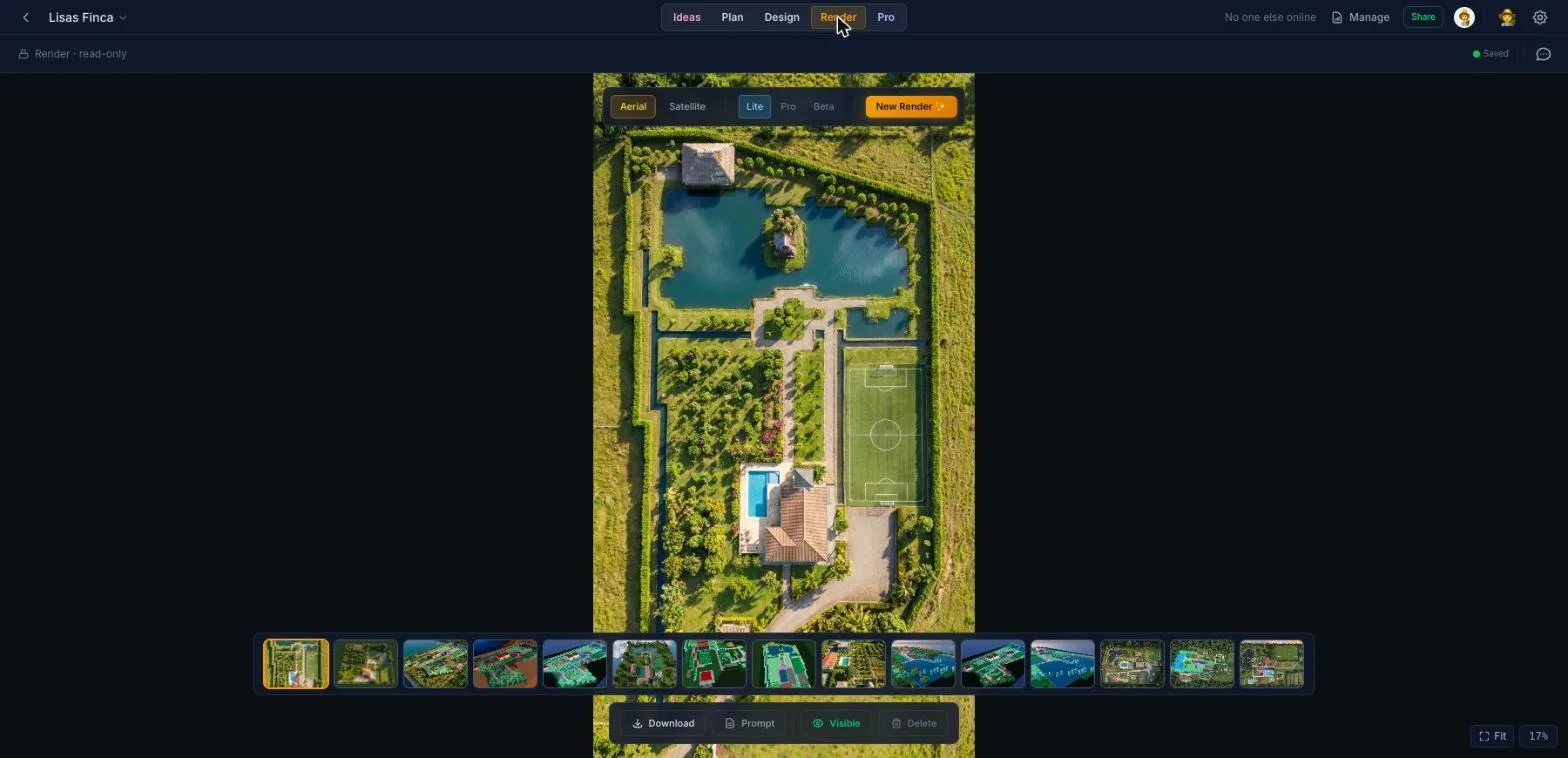
- 1Aerial or satellitePick the viewpoint that suits what you are trying to show.
- 2One click to generateFincabout reads your layout and renders it - no prompt writing required.
- 3Your plan, photorealisticThe pond, orchard, pitch, and farmhouse all sit exactly where you placed them.
- 4Every render keptRenders are saved to the project so you can compare versions over time.
Key Features
Drag-and-Drop Tile Editor
Place crops, structures, fences, and water features on a visual grid. No design experience needed.
Learn more310+ Farm Tiles
Choose from a rich library of crops, barns, greenhouses, orchards, ponds, livestock areas, and more.
Learn moreAccurate Dimensions
Set real-world dimensions for your property and see accurate area calculations per zone.
Learn moreRegional Theme Packs
Apply theme packs for different climates - tropical, temperate, arid - with region-specific crops and styles.
Learn moreElevation & Terrain
Model slopes and contours so drainage, terracing, and irrigation plans reflect your actual land.
Learn moreSave & Share Instantly
Your layouts save automatically. Share a link with partners, advisors, or buyers in one click.
Learn moreHow to Design a Farm Layout in 5 Steps
Creating an effective farm layout starts with understanding your land. Here's a proven approach used by farmers worldwide:
Step 1: Define Your Boundary. Use satellite imagery to trace your property boundary. Fincabout automatically calculates your total area in acres, hectares, or square meters, giving you an accurate canvas to work with.
Step 2: Identify Zones. Every property has natural zones - areas with more sun, better drainage, proximity to water sources, or road access. Place high-maintenance crops near your house and low-maintenance plantings further out.
Step 3: Place Infrastructure First. Start with fixed elements: buildings, roads, fences, water lines, and power. These constrain where crops and livestock can go, so get them right early.
Step 4: Design Crop & Livestock Areas. With infrastructure in place, fill in your growing zones. Consider companion planting, crop rotation needs, and livestock integration. Fincabout's 310+ tile types cover everything from row crops to orchards to aquaculture ponds.
Step 5: Visualize & Iterate. Switch between 2D tile view, 3D isometric, and AI-rendered photorealistic views to spot issues you might miss on a flat plan. Share with advisors or family for feedback before committing to changes.
Why Visual Farm Planning Beats Spreadsheets and Paper
Most farmers still plan on paper or in their heads. While that works for simple operations, it breaks down as complexity grows. Visual farm planning software like Fincabout offers three critical advantages:
Spatial awareness. A spreadsheet can tell you that you need 2 acres for corn, but it can't show you where those 2 acres fit relative to your irrigation lines, the neighbor's fence, or the shady area behind the barn. Tile-based design makes spatial relationships visible at a glance.
Scenario testing. Want to see what happens if you move the chicken coop closer to the garden? On paper, that means erasing and redrawing. In Fincabout, you drag and drop. Generate an AI render to see how it looks in reality.
Communication. When applying for USDA grants, presenting to a landowner, or onboarding a new farm worker, a professional farm map communicates more in 5 seconds than a page of text. Fincabout's AI renders create presentation-quality images from your layout.
Related Tools & Solutions
Frequently Asked Questions
Everything you need to know about this feature.
Trusted by farmers worldwide
What Farmers Are Saying
Real stories from growers, homesteaders, and designers using Fincabout.
Ready to plan your farm?
Join thousands of farmers designing smarter, more productive layouts with Fincabout.
Get Started FreeFree forever plan · No credit card required